
The command deck for your Claude Code sessions
One window for every session you have running. See which are working, which are waiting on you, and which are about to run out of context, and drive all of them from one screen.
Version 0.8.0-beta.2. Windows 10/11, x64. macOS and Linux are on the list. Requires Claude Code. Free during the beta.
Twelve sessions, no idea which one needs you
You run Claude Code in a dozen terminals at once. Each one is a separate window with a title you cannot read, so finding the session that finished, or the one stuck on a permission prompt, means clicking through all of them.
Nothing tells you which session is near its context limit until it is already there. Nothing tells you that a turn ended five minutes ago. Nothing remembers which sessions you had open yesterday.
That is the whole problem. Ephorhelm is one window that answers it.
What you get instead
- One sidebar listing the sessions that are open, with state, branch, model and spend.
- A context gauge per session that shifts from green through amber and orange to red as the window fills.
- Permission requests collected in one place, answered without hunting.
- A Helm screen with a prompt line per session, so a round of ten takes a minute.
- Hand off and exit as one action, with the notes written before the session closes.
- The deck you had open yesterday, restored.
The Helm view
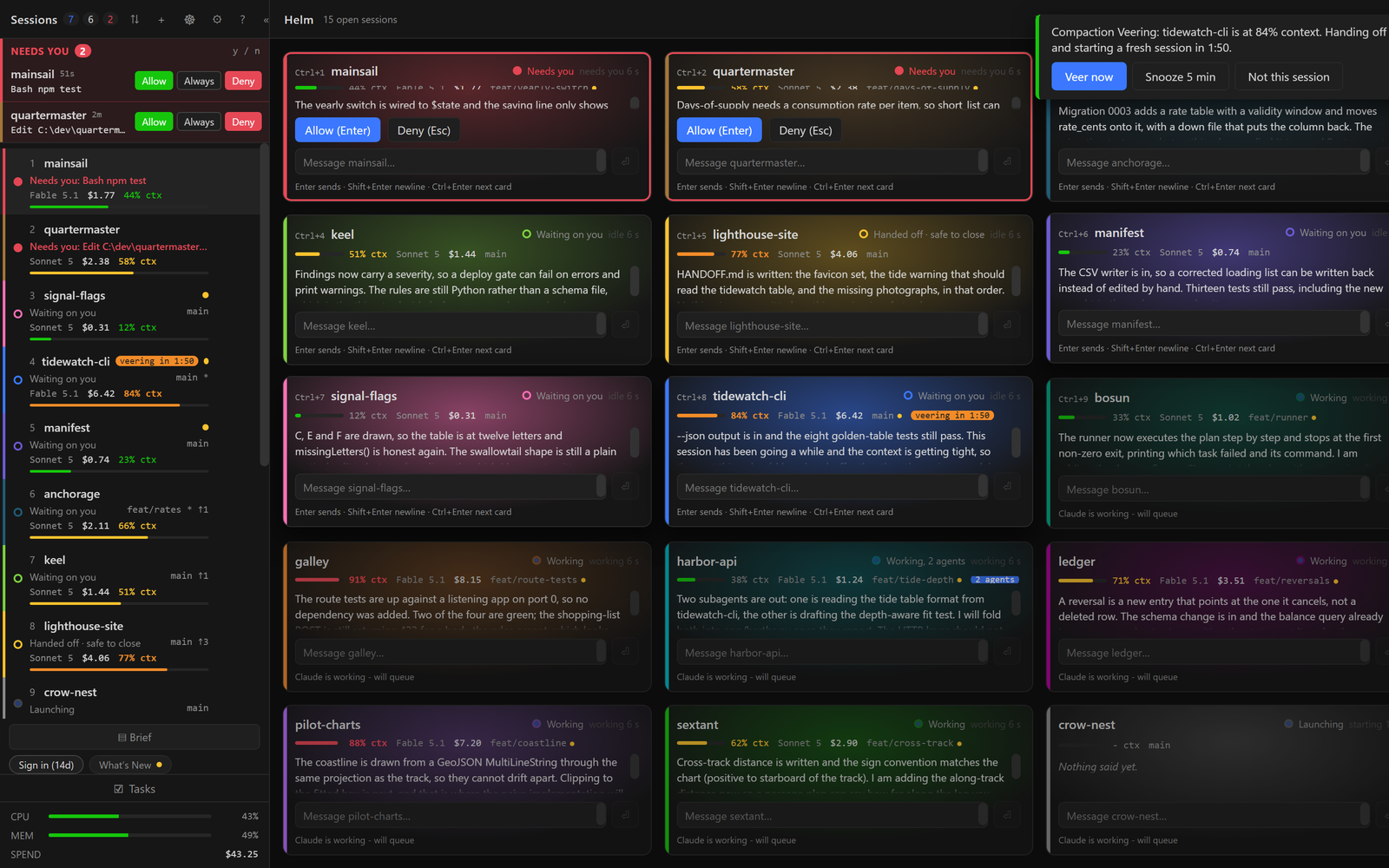
Every open session as a card with its own prompt line: the project, the state, a line of what it just did, its context gauge. Fifteen fit on one screen, and Ctrl+1 to Ctrl+9 puts the cursor straight in the first nine cards' prompt boxes.
What is in it
Everything below is in the beta. Nothing here is a roadmap item dressed up as a feature.
- The namesake
The Helm view
Every session as a card with its own prompt line, so you can drive ten of them from one screen.
- Attention
Attention inbox with approve and deny
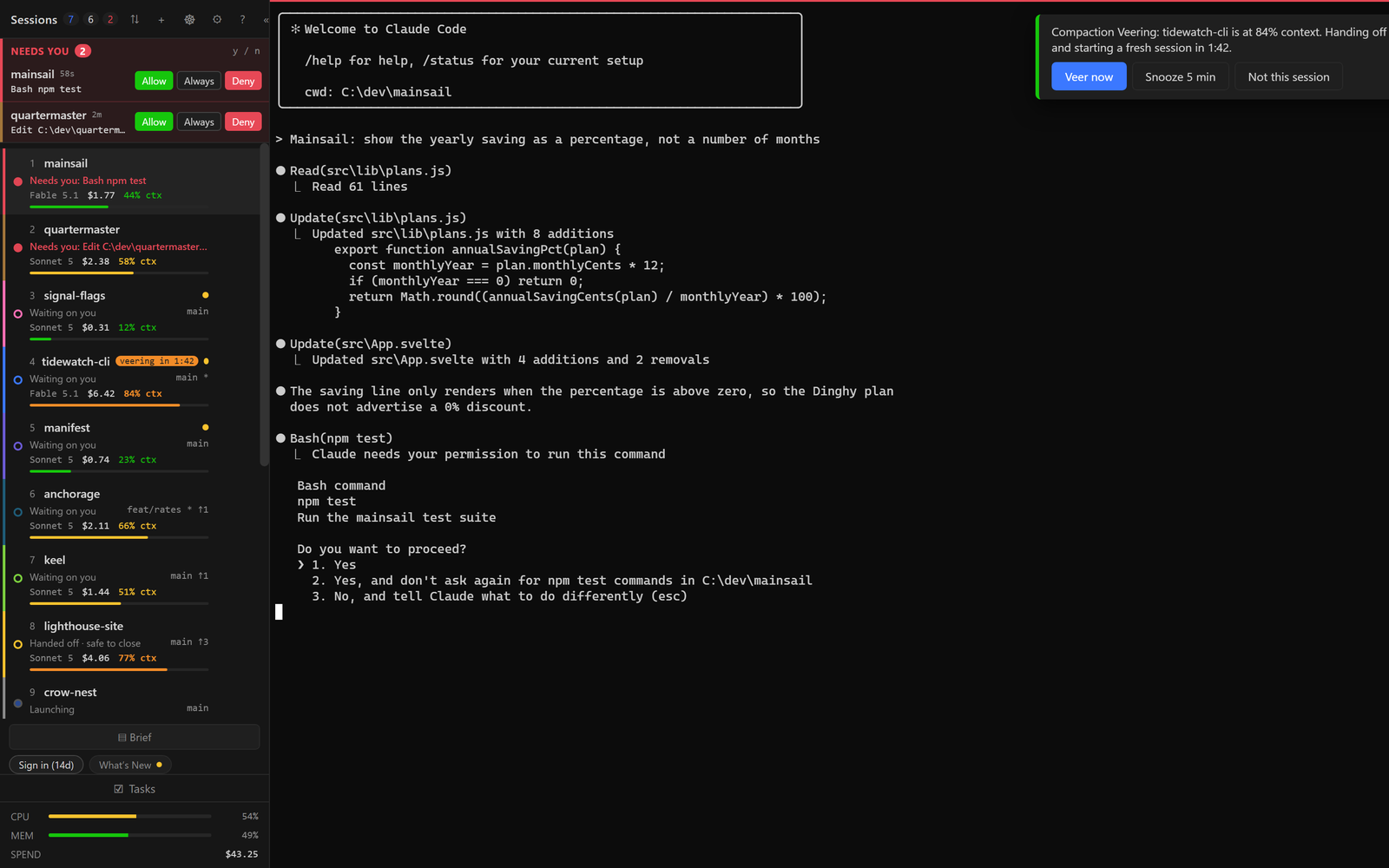
Permission requests collect at the top of the sidebar and you answer them without hunting for the terminal.
- Context
Context gauges and hand-off
A bar per session that runs green, amber, orange, red as the context fills. Hand off before the wall, not after.
- Compaction Veering
Compaction Veering™
At 81 percent context an idle session hands itself off and a fresh one takes over, with a countdown you can snooze, or, at the end of the day, hand off and stop.
- Continuity
Restore and resume
Reopen the deck you had yesterday, or pick a past session from a project and resume it.
- Prompts
Prompt library
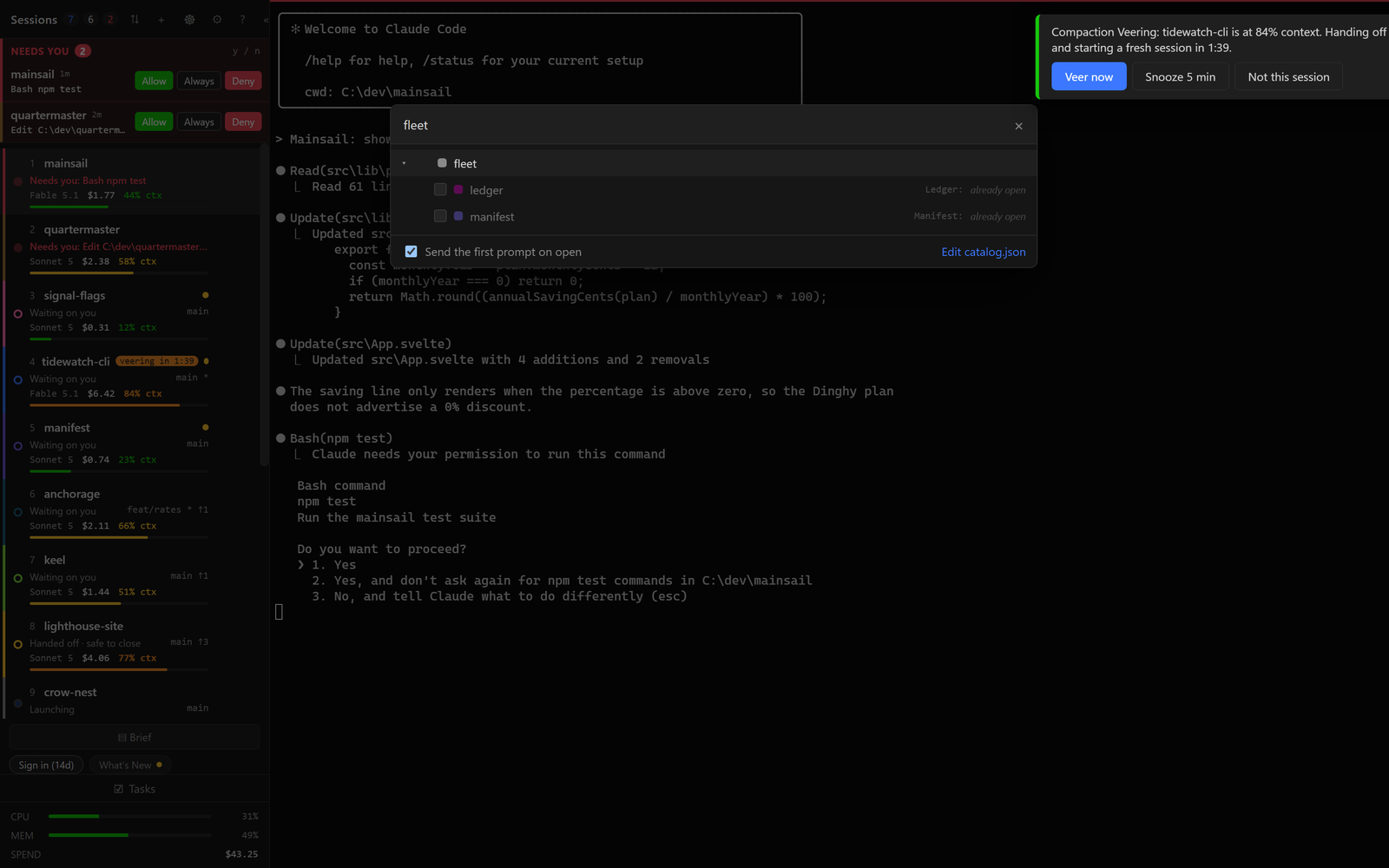
Saved prompts per project and globally, with your hand-off prompt as the first entry.
- Layout
Split panes
Two sessions side by side when you are comparing or copying between them.
- Voice
Push-to-talk
Hold a chord, speak, release. The text lands in the prompt box without pressing Enter for you.
- Overview
Deck brief
A read-only summary of what the whole deck has been doing, built from hand-offs and transcripts.
- Review
Review pane
See the diff for the files a session touched, without leaving the window or opening an editor.
- Search
Global search
One search across every open scrollback and your saved transcripts.
The rest of the window
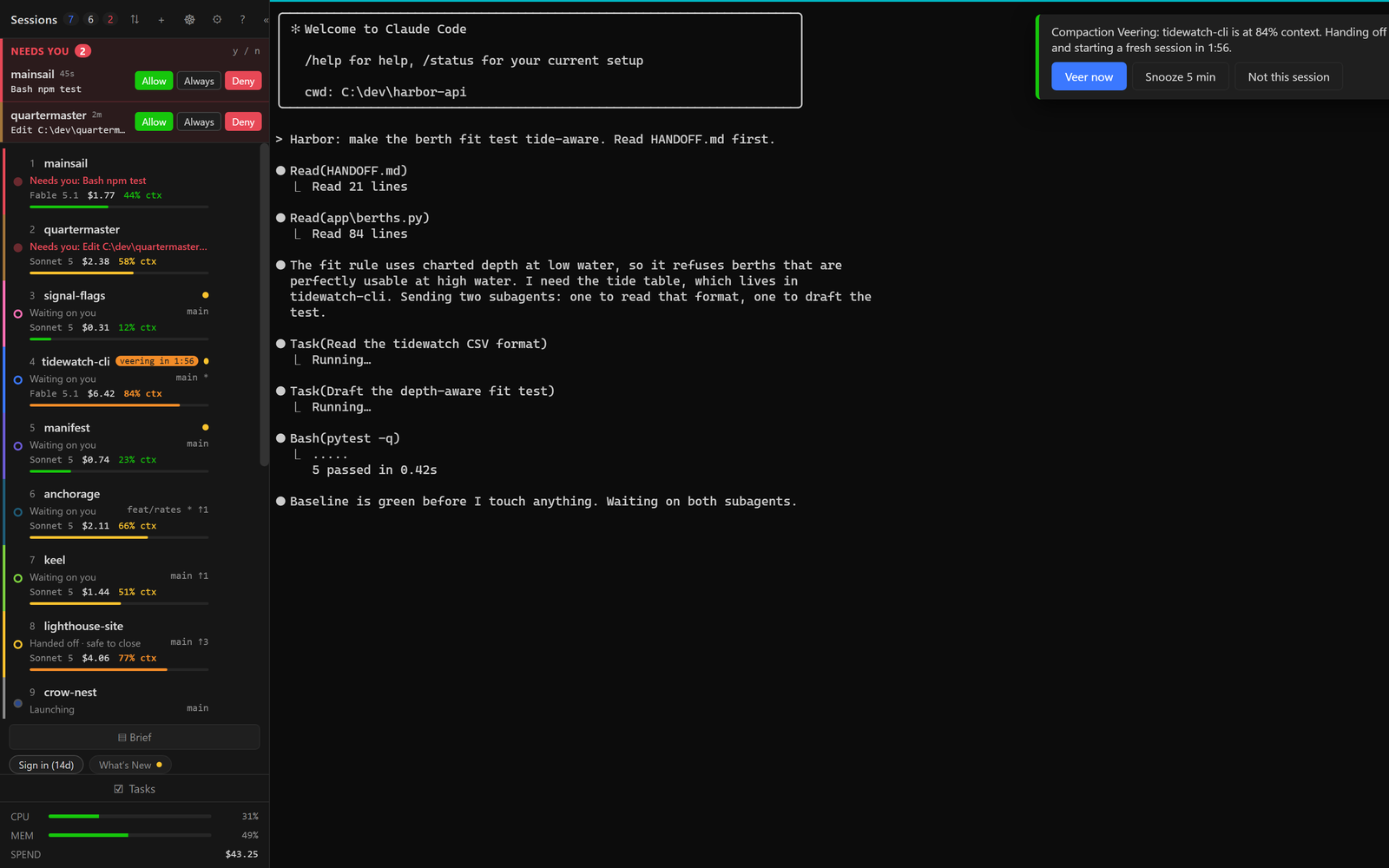
Screenshots from the beta. No mock-ups on this site.
Hate compactions?
An auto compaction in the middle of a long task can lose the thread. Ephorhelm watches every session's context. At 81 percent, the moment the session is idle, it writes the hand-off, closes the session, and opens a fresh one that picks up exactly where the last one stopped. You get a 60 second countdown and a snooze, nothing happens behind your back. Several sessions near the limit each get their own countdown, or, at the end of the day, hand off and stop.
More on veeringYour sessions stay yours
Ephorhelm runs on your machine and talks to Claude Code on your machine. The only thing it ever sends us is a licence check-in every three days carrying four fields: the licence id, the app version, the Windows version, and a hash that identifies the machine. No prompts, no transcripts, no file paths, no project names.
Dictation is local too: Whisper on your CPU, no speech API. This site loads no third-party fonts, scripts or trackers.
Free during the beta
Create an account, download the installer, and activate the machine with a short code. No card, no invite.